Cookie policy review checklist for e-commerce stores teams
If you run an e-commerce store, or work on the team behind one, your cookie policy is more than a legal checkbox. It shapes customer trust, determines whether y

Photo by Feyza Yıldırım from Pexels
If you run an e-commerce store, or work on the team behind one, your cookie policy is more than a legal checkbox. It shapes customer trust, determines whether you comply with privacy regulations, and directly affects how tracking, analytics, and marketing pixels behave on your site. Yet most store teams copy-paste a template once and never look at it again. This checklist changes that.
TL;DR
- A cookie policy is legally required in most jurisdictions the moment your store drops a non-essential cookie.
- Review your policy at least quarterly and after every new tool integration (analytics, chat widgets, retargeting pixels).
- Map every cookie your site sets, classify it by purpose, and document its lifespan.
- Give shoppers a genuine choice, pre-ticked consent boxes violate GDPR and similar laws.
- Use Terms Doctor's free extension to scan vendor terms for hidden data-sharing and auto-renewal clauses before you embed their scripts.
Why your e-commerce cookie policy deserves a formal review

Cookie policies sit at the intersection of law, marketing, and user experience. Here is why a periodic review matters for every e-commerce team:
- Regulatory exposure is growing. GDPR fines for cookie-consent violations have reached seven figures in the EU. California's CCPA/CPRA, Brazil's LGPD, and Canada's PIPEDA all impose their own cookie-related obligations. A stale policy can leave your store non-compliant overnight when a new regulation takes effect.
- Your tech stack changes constantly. Every time a developer adds a heatmap tool, a marketer installs a Facebook pixel, or customer support embeds a live-chat widget, new cookies appear on your domain. Without a review process, those cookies go undisclosed.
- Customer trust drives conversions. Shoppers who see a clear, honest cookie banner are more likely to opt in, and more likely to complete a purchase. Vague or deceptive banners erode confidence and increase bounce rates.
- Third-party vendors update their own terms. The analytics or ad platform you integrated six months ago may have changed its data-sharing practices since then. Reviewing your cookie policy forces you to re-examine vendor terms as well.
Key takeaway: A cookie policy review is not a one-time legal task, it is a recurring operational process that protects revenue, reputation, and regulatory standing.
Step-by-step: how to audit your store's cookies
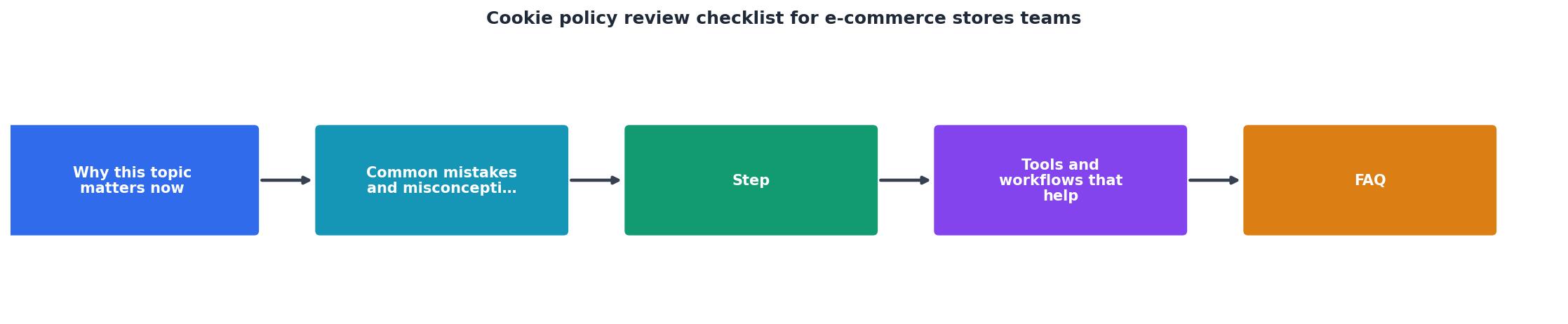
Follow these steps every quarter, or whenever you add a new third-party script.
Step 1, Run a full cookie scan
Open your store in an incognito browser window and use your browser's developer tools (Application → Cookies) or a dedicated scanning tool to list every cookie set before and after consent. Record:
- Cookie name
- Domain (first-party vs. third-party)
- Expiration period
- Purpose (analytics, marketing, functional, strictly necessary)
Step 2, Classify each cookie
Group cookies into the categories your consent banner uses. The most common classification follows the IAB/TCF model:
- Strictly necessary, session IDs, shopping-cart tokens, CSRF tokens.
- Functional, language preferences, recently viewed products.
- Analytics / performance, Google Analytics, Hotjar, Clarity.
- Marketing / targeting, Meta Pixel, Google Ads remarketing, TikTok Pixel.
Step 3, Verify consent mechanisms
Load your store and confirm that:
- Non-essential cookies are not set before the user gives consent.
- The consent banner offers a clear "Reject all" option that is equally prominent as "Accept all."
- Pre-ticked checkboxes are absent (required under GDPR).
- Consent preferences can be changed at any time via a persistent link in the footer.
Step 4, Cross-check vendor data practices
For every third-party cookie, review the vendor's terms of service and privacy policy. Look for clauses that allow the vendor to:
- Use collected data for its own purposes (e.g., AI model training).
- Share data with unnamed "partners."
- Retain data indefinitely after you stop using the service.
"Businesses should demonstrate respect for user choices and their right to control personal data.">, Marketing Guide: Creating a Website Privacy Policy Checklist » CBIA
Step 5, Update the written policy
Rewrite or amend your cookie policy page to reflect the current scan results. Each cookie (or cookie category) should have a row in a table that states its name, provider, purpose, and expiration. Remove references to cookies you no longer use.
Step 6, Document and assign ownership
Record the review date, who performed it, and any changes made. Assign a team member (often the marketing ops lead or DPO) as the cookie-policy owner responsible for triggering the next review.
The complete cookie policy review checklist

Cookie Policy Review Checklist for E-Commerce Teams
Your progress is saved automatically in your browser.
Common red flags to watch for in vendor cookie terms

When you reach Step 4 of the audit, keep an eye out for these specific warning signs in the terms of the tools you embed:
- Broad data-licensing clauses. Some analytics vendors claim a royalty-free license to use aggregated data collected through their scripts. That data may include your customers' browsing behavior.
- Indefinite data retention. If a vendor states it retains data "for as long as necessary" without defining a maximum period, your customers' information could persist long after they delete their accounts on your store.
- Forced arbitration. A vendor that forces arbitration makes it harder for you to pursue a legal remedy if a data breach occurs on their side and affects your shoppers.
- Unilateral terms changes. Watch for language like "we may update these terms at any time without notice." This means the data practices you reviewed today could change tomorrow.
- AI training on user data. An increasing number of SaaS tools include clauses permitting the use of customer data to train machine-learning models. If your cookie policy does not disclose this, you may be in violation of transparency requirements.
How to keep your cookie policy current between reviews
Even with quarterly reviews, things can slip through the cracks. Use these ongoing practices to stay ahead:
- Tag-management governance. Require every new tag or pixel to go through a brief approval form that captures the cookie name, purpose, vendor, and data-sharing details. Tools like Google Tag Manager support approval workflows.
- Automated cookie monitoring. Services such as Cookiebot or CookieYes can scan your site on a schedule and alert you when new, undisclosed cookies appear.
- Vendor terms change tracking. Terms Doctor's change-tracking feature notifies you when a vendor updates its terms of service, so you can reassess whether the cookies they set still align with your disclosed practices.
- Team training. Make sure developers, marketers, and customer-support staff understand that adding a script means adding cookies, and that the cookie policy must be updated accordingly.
Frequently Asked Questions
Let Terms Doctor do the heavy lifting on vendor terms
Reviewing cookie policies is only half the battle, you also need to understand the terms of every vendor whose code runs on your store. The free Terms Doctor browser extension (available for Chrome, Edge, Brave, Opera, and Vivaldi) automatically finds the terms-of-service page on any site, runs 101 consumer-protection checks, and delivers a plain-language A-F grade in seconds. Use it to vet new tools before integration and to monitor existing vendors for terms changes. It is not legal advice, but it is the fastest way to spot red flags before they become your problem.
Disclaimer: This article is for informational purposes only and does not constitute legal advice. Consult a qualified legal professional for guidance specific to your jurisdiction and business.
Additional Resources
- Marketing Guide: Creating a Website Privacy Policy Checklist - Privacy Policy Checklist: Five Steps · 1. Conduct a Privacy Audit. · 2. Develop or Review Privacy Policies. · 3. Cookie Management and Consent. · 4.
- Writing Your Cookies Privacy Policy: The Essential Checklist - Every cookies policy must outline the kinds of cookies you use, why and how you use them, and how site visitors can opt out of cookies.
- Ecommerce Privacy Policy: Requirements for Online Stores ... - Ecommerce privacy policies should clearly show how data is collected, where it is stored, how it is used and how it may be shared.
Ready to Read Terms Before You Sign?
Terms Doctor finds terms of service on any site and grades them A-F in seconds.
Get Started“Terms Doctor flagged forced arbitration and AI training clauses in seconds. I finally know what I am agreeing to.”
Privacy-conscious shopper