Checklist: spot unilateral ToS changes clauses before you subscribe
You are about to hand over your credit card to a new SaaS tool, streaming service, or marketplace. Somewhere in the terms of service sits a short paragraph that

Photo by Kindel Media from Pexels
You are about to hand over your credit card to a new SaaS tool, streaming service, or marketplace. Somewhere in the terms of service sits a short paragraph that says the company can change the rules whenever it wants, without asking you first. That single clause, often called a "unilateral changes" or "modification" clause, can silently rewrite your privacy rights, raise your price, or strip away features you paid for.
This resource gives you a practical, step-by-step checklist to find and evaluate those clauses before you click "I agree." It is not legal advice, always consult a qualified attorney for binding guidance, but it will help you make an informed decision in under ten minutes.
TL;DR
- A unilateral ToS changes clause lets a company modify its terms at any time, often without your explicit consent.
- Look for trigger phrases like "we reserve the right to modify," "at our sole discretion," and "continued use constitutes acceptance."
- Check whether the service promises advance notice, a specific notice period, and an opt-out or cancellation right.
- Services that score poorly on change-notification transparency tend to score poorly on other consumer-protection checks too.
- Tools like the free Terms Doctor extension can flag these clauses automatically across 101 checks.
Why Unilateral Changes Clauses Matter

When you sign up for a service, you enter a contract. In a traditional contract, both parties must agree to any amendment. Online terms flip that expectation. Most platforms include language that lets them update the agreement unilaterally, meaning they change the deal, and your only "choice" is to stop using the service.
Here is why that should concern you:
- Price increases without warning. A platform could raise subscription fees and consider your next login as acceptance.
- Privacy downgrades. A company might start sharing your data with third-party advertisers by updating a single paragraph in its privacy policy.
- Feature removal. Cloud storage providers have retroactively reduced free-tier limits, giving users days to comply or lose files.
- Forced arbitration additions. Some services have added mandatory arbitration clauses months after launch, stripping users of the right to join class actions.
Key takeaway: A unilateral changes clause can silently rewrite the deal you originally agreed to, always check for one before subscribing.
The Anatomy of a Unilateral Changes Clause

Not every modification clause is equally dangerous. Below are the five components you should look for when reading one:
1. The Grant of Authority
This is the sentence that gives the company permission to change terms. It usually reads something like: "We reserve the right to modify these Terms at any time." The broader the language ("at any time," "for any reason," "at our sole discretion"), the more power the company claims.
2. The Notice Mechanism
Better clauses specify how you will be told about changes. Look for concrete commitments:
- Email notification to the address on file
- In-app banner or pop-up
- A blog post or changelog entry
- A notice posted on the terms page itself
3. The Notice Period
How much lead time do you get? Thirty days is a common standard in consumer-friendly terms. Some services offer only seven days; others offer none at all. The EU's Digital Services Act encourages "reasonable" advance notice, but the definition varies.
4. The Acceptance Mechanism
This is the critical piece. There are two main models:
- Opt-in (active consent): You must click "I agree" or take an affirmative step. This is the gold standard.
- Opt-out (passive consent): Your continued use of the service after the notice period counts as acceptance. This is far more common, and far less protective.
5. The Exit Right
Does the clause explicitly say you can cancel without penalty if you disagree with the new terms? A fair clause will include language like: "If you do not agree to the revised Terms, you may terminate your account and receive a pro-rata refund." Many clauses omit the refund part entirely.
"The contracting officer may insert a clause substantially the same as the clause at 52.243-7, Notification of Changes, in solicitations and contracts.">, Part 43
While this quote comes from federal procurement rules, the principle is universal: changes should be structured, documented, and communicated through a defined process, not buried in vague boilerplate.
Your Pre-Subscription Checklist
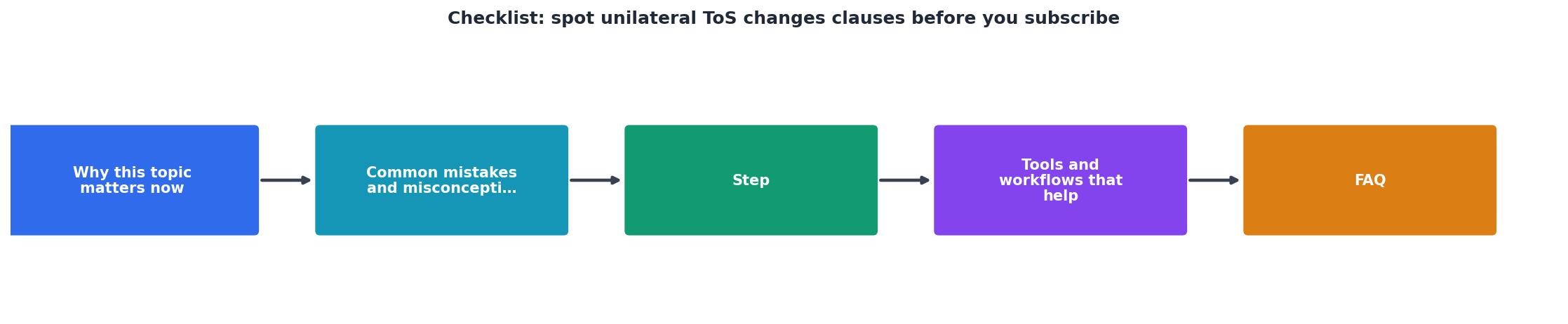
Use this checklist every time you evaluate a new service. Print it, bookmark it, or save it to your notes app. Each item takes less than a minute to verify.
Pre-Subscription Unilateral Changes Checklist
Your progress is saved automatically in your browser.
Step-by-Step: How to Use This Checklist in Practice

Follow these steps the next time you are about to subscribe to a new tool or platform:
- Open the Terms of Service page. Most services link to it from the sign-up form footer. If you cannot find it, that is already a warning sign.
- Use Ctrl+F (or Cmd+F) to search for key phrases. Start with "modify," "amend," and "sole discretion." Each hit is a potential unilateral changes clause.
- Read the surrounding paragraph carefully. Identify which of the five components (authority, notice mechanism, notice period, acceptance model, exit right) are present, and which are missing.
- Score the clause mentally. A clause that offers email notice, 30 days lead time, opt-in acceptance, and a penalty-free exit is consumer-friendly. A clause that says "we may change these terms at any time; continued use constitutes acceptance" with no notice period is a red flag.
- Check for a changelog. Some transparent companies maintain a public version history (similar to a Git log) of their terms. This makes it easy to see what actually changed and when.
- Install Terms Doctor and run a scan. The extension automatically locates the ToS on any website, runs 101 consumer-protection checks, including unilateral modification detection, and gives you an A-F grade with plain-language explanations. It takes seconds and costs nothing.
- Document your findings. If you are evaluating tools for a team, paste the Terms Doctor summary into your comparison spreadsheet. Note the grade, the specific red flags, and the date you reviewed the terms.
Red Flags vs. Green Flags: A Quick Reference
When scanning a modification clause, keep this comparison in mind:
Red Flags
- "At our sole discretion, without notice"
- "Continued use constitutes acceptance" with no notice period
- No mention of email or direct notification
- No exit right or refund language
- No "Last Updated" date or changelog
- Clause is buried deep in a 10,000-word document with no table of contents
Green Flags
- "We will notify you by email at least 30 days before changes take effect"
- "You must affirmatively accept the updated terms to continue using the service"
- "If you do not agree, you may cancel and receive a pro-rata refund"
- A public changelog with dated entries for every revision
- A summary of material changes at the top of the updated terms page
- Clear section headings that make the modification clause easy to locate
How Terms Doctor Helps You Automate This Process
You do not have to do all of this manually every time. The free Terms Doctor browser extension, available for Chrome, Edge, Brave, Opera, and Vivaldi, automates the heavy lifting:
- Automatic ToS discovery: Visit any website and Terms Doctor finds the terms of service page for you.
- 101 consumer-protection checks: The extension scans for forced arbitration, AI training on user data, auto-renewal traps, unilateral modification clauses, and dozens more.
- A-F grading: Each service gets a letter grade with plain-language explanations so you can compare tools at a glance.
- Red-flag highlights: Problem clauses are called out individually, so you know exactly which paragraph to read.
- Change tracking: Terms Doctor can alert you when a service updates its terms, so you are never caught off guard by a silent revision.
Frequently Asked Questions
Disclaimer: This checklist and article are educational resources, not legal advice. Automated tools like Terms Doctor help you spot potential issues quickly, but they do not replace consultation with a qualified legal professional.
Additional Resources
- Part 43 - Contract Modifications - Unilateral modifications are used, for example, to- (1) Make administrative changes; (2) Issue change orders; (3) Make changes authorized by ...
- Understanding Unilateral Contract Modification - This article will walk you through what it takes to protect the enforceability of your agreements, even when you're making changes unilaterally.
- The 8-Point Contract Review Checklist | Redline - Use this 8-point contract review checklist to spot red flags in liability, IP, termination, and payment clauses before you sign. unilateral ToS ...
Ready to Read Terms Before You Sign?
Terms Doctor finds terms of service on any site and grades them A-F in seconds.
Get Started“Terms Doctor flagged forced arbitration and AI training clauses in seconds. I finally know what I am agreeing to.”
Privacy-conscious shopper