Checklist: spot data sharing with advertisers clauses before you subscribe
You found a promising SaaS tool, a slick new app, or a subscription box that checks every feature on your wish list. Before you hand over your email and credit

Photo by RDNE Stock project from Pexels
You found a promising SaaS tool, a slick new app, or a subscription box that checks every feature on your wish list. Before you hand over your email and credit card, there is one question worth asking: will this company share your personal data with advertisers? Buried inside most terms of service and privacy policies are clauses that grant the company broad rights to pass your browsing habits, purchase history, and even device identifiers to third-party ad networks. This checklist helps you find those clauses in minutes, no law degree required.
TL;DR
- Most subscription services include at least one clause allowing data sharing with advertising partners, often hidden under vague headings like "business partners" or "service providers."
- Look for five specific red-flag phrases: "third-party advertising," "targeted ads," "advertising partners," "data monetization," and "cross-platform tracking."
- Use the free Terms Doctor extension to auto-detect these clauses across 101 consumer-protection checks.
- Always check both the Terms of Service and the Privacy Policy, they sometimes contradict each other.
- If a service refuses to let you opt out of ad-related data sharing, treat that as a serious warning sign.
Why Advertiser Data-Sharing Clauses Matter

When a company shares your data with advertisers, the consequences ripple far beyond seeing a few extra banner ads. Your email address can end up in data-broker databases. Your browsing fingerprint can follow you across hundreds of unrelated websites. And once your information leaves the original service, you lose almost all control over how it is stored, resold, or combined with other datasets.
For anyone evaluating a B2B tool or a consumer subscription, understanding these clauses is the difference between an informed purchase and an invisible privacy trade-off. Companies rarely volunteer this information on their marketing pages. Instead, they bury it in dense legal documents that most people never read.
"63% of Internet users believe most companies aren't transparent about how their data is used, and 48% have stopped shopping with a company because of privacy concerns.">, Privacy Policy Requirements Checklist for Websites & Apps
That statistic alone shows why a quick pre-subscription review is worth the effort. The good news: you do not need to read every paragraph. You just need to know where to look and what phrases to flag.
Key takeaway: A five-minute scan of the right sections in a terms page can reveal whether a service profits from selling your attention to advertisers, before you commit.
The Five Red-Flag Phrases to Search For

Not every mention of "third parties" means your data goes to ad networks. Some third parties are payment processors or cloud-hosting providers, perfectly normal. The trick is distinguishing operational partners from advertising partners. Here are the five phrases that almost always signal advertiser data sharing:
- "Third-party advertising", This is the most direct signal. If the document mentions delivering, serving, or enabling third-party advertising, the company is telling you it works with ad networks that will receive some of your data.
- "Targeted ads" or "interest-based advertising", These phrases mean the service collects behavioral data (pages visited, items clicked, time spent) and either uses it internally or shares it externally to serve you personalized ads.
- "Advertising partners" or "marketing partners", When a company names a category of partner specifically tied to advertising or marketing, it is disclosing a data-sharing relationship. Look for lists of named partners or links to partner privacy policies.
- "Data monetization", Some services are refreshingly blunt. If you see this phrase, the company earns revenue by selling or licensing user data. This is common in free-tier products where you are, effectively, the product.
- "Cross-platform tracking" or "cross-device tracking", This means the service (or its partners) links your activity across multiple devices or websites. It is a hallmark of programmatic advertising ecosystems.
Ctrl + F (or Cmd + F on Mac) to search for these phrases in the terms page. Better yet, install Terms Doctor and let the extension flag them automatically across its 101 checks.
Step-by-Step: How to Review a Terms Page Before Subscribing
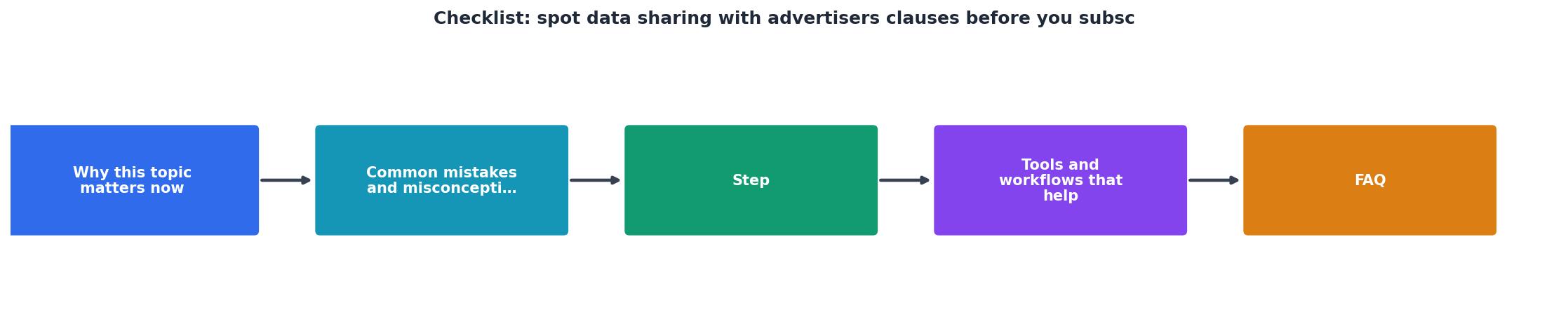
Follow these steps every time you consider a new subscription. The entire process takes five to ten minutes for a typical terms page.
- Locate both documents. Find the Terms of Service (sometimes called Terms of Use or User Agreement) and the Privacy Policy. They are usually linked in the website footer. Some services also have a separate Cookie Policy, check that too.
- Scan section headings first. Jump to headings that mention "Information We Share," "Third Parties," "Advertising," "Your Choices," or "Data We Collect." These sections contain the vast majority of advertiser-related clauses.
- Search for the five red-flag phrases. Use
Ctrl + Fto search for each phrase listed above. Note every match and read the surrounding paragraph for context. - Check for opt-out mechanisms. A responsible company will offer a way to opt out of targeted advertising or data sharing with ad partners. Look for a "Your Choices" or "Your Rights" section. If no opt-out exists, that is a red flag.
- Look for named advertising partners. Some privacy policies list specific ad networks (Google Ads, Meta Audience Network, Amazon Advertising, etc.). Named partners let you research their own data practices and opt-out tools.
- Verify data retention periods. Even if a company shares data with advertisers, short retention periods limit exposure. Look for statements like "we retain data for 12 months." Indefinite or unspecified retention is a concern.
- Compare the free tier vs. paid tier. Some services reduce or eliminate ad-related data sharing for paying customers. Check whether upgrading actually changes the data-sharing terms or just removes visible ads while the tracking continues.
- Run Terms Doctor. Install the free extension for Chrome, Edge, Brave, Opera, or Vivaldi. Navigate to the service's terms page and let Terms Doctor automatically find the document, run all 101 checks, and assign an A-F grade. Red-flag clauses, including advertiser data sharing, are highlighted so you can review them in seconds.
Your Pre-Subscription Data-Sharing Checklist

Print this checklist or keep it bookmarked. Run through it every time you are about to enter payment details for a new service.
Pre-Subscription Data-Sharing Checklist
Your progress is saved automatically in your browser.
Common Tricks Companies Use to Hide Advertiser Clauses
Even with the checklist above, some companies make it deliberately hard to find data-sharing language. Watch out for these tactics:
- Splitting information across multiple documents. The Terms of Service may say nothing about advertising, while the Privacy Policy grants broad sharing rights. Always read both.
- Using vague umbrella terms. Phrases like "trusted partners," "affiliates," or "service providers" can include ad networks without naming them explicitly. If the document does not define these terms, assume the broadest interpretation.
- Burying clauses in appendices or linked sub-pages. Some companies link to a separate "Advertising Disclosure" or "Partner List" page that is not part of the main document. Follow every link.
- Updating terms silently. A service might launch with privacy-friendly terms and then add advertiser sharing in a later update. Terms Doctor's change-tracking feature alerts you when a terms page you have previously reviewed is modified, so you can re-check the new language.
- Offering a fake opt-out. Some opt-out buttons only stop visible personalized ads but do not stop the underlying data collection and sharing. Read the fine print around any opt-out mechanism to confirm what it actually controls.
What to Do If You Find Advertiser Data-Sharing Clauses
Finding a data-sharing clause does not automatically mean you should avoid the service. Here is a quick decision framework:
- Clause exists + opt-out available + named partners: Moderate risk. You can opt out and research the named partners. Proceed if the service is valuable enough.
- Clause exists + no opt-out + vague partner language: High risk. Your data will be shared and you cannot stop it. Consider alternatives.
- Clause exists + data monetization language + indefinite retention: Very high risk. The company's business model depends on selling your data. Look for a competitor with a cleaner privacy stance.
- No clause found + Terms Doctor gives an A or B grade: Low risk. The service appears to respect user data. Still worth re-checking after major terms updates.
Try Terms Doctor Before Your Next Subscription
Instead of manually searching through pages of legal text, let Terms Doctor do the heavy lifting. The free browser extension works on Chrome, Edge, Brave, Opera, and Vivaldi. It automatically discovers the terms of service on any website, runs 101 consumer-protection checks, including advertiser data-sharing detection, and gives you a clear A-F grade with plain-language explanations. Install it from the homepage and run it on the next service you are considering. Five seconds of setup can save you from months of unwanted data sharing.
Frequently Asked Questions
Additional Resources
- Privacy Policy Requirements Checklist for Websites & Apps - Our privacy policy requirements checklist outlines the steps to ensure your privacy policy is legal and compliant with global privacy laws.
- HubSpot Data Processing Agreement - Legal Center - HubSpot is a Processor of Customer Personal Data in connection with the Subscription Services. with Intent data sharing enabled, Standard ...
- Opting In-n-Out: Five key analyses for adtech privacy law ... - Media companies and online businesses must comply with abundant diverging privacy and data protection law requirements across jurisdictions.
Ready to Read Terms Before You Sign?
Terms Doctor finds terms of service on any site and grades them A-F in seconds.
Get Started“Terms Doctor flagged forced arbitration and AI training clauses in seconds. I finally know what I am agreeing to.”
Privacy-conscious shopper