
Photo by RDNE Stock project from Pexels
Every time you hand your customer list, email addresses, or payment details to a SaaS tool, you are trusting that vendor with personal data. A Data Processing Agreement (DPA) is the contract that spells out exactly what the vendor can, and cannot, do with that data. If you skip it, you are flying blind on privacy, compliance, and liability.
This guide breaks down what a DPA is, why it matters even if you are not in the EU, which clauses to watch for, and how to review one without a law degree. Remember: nothing here is legal advice, always consult a qualified attorney for binding decisions.
TL;DR
- A DPA defines how a SaaS vendor (the "processor") handles personal data on your behalf (the "controller").
- GDPR requires a DPA whenever personal data of EU residents is processed by a third party, but similar rules now exist in California (CCPA/CPRA), Brazil (LGPD), and elsewhere.
- Key clauses to check: sub-processors, data breach notification timelines, data deletion, and international transfers.
- Many vendors bury DPA terms inside their main Terms of Service, automated tools like Terms Doctor can surface them instantly.
- Reviewing a DPA before you sign saves you from surprise liability, regulatory fines, and reputational damage.
What Is a Data Processing Agreement?

A Data Processing Agreement is a legally binding document between a data controller (you, the SaaS buyer) and a data processor (the SaaS vendor). It governs how personal data is collected, stored, used, and eventually deleted.
"Data processing takes place when data is processed by a contractor who has been instructed by the data controller.">, Data Processing Agreement (DPA)
Under GDPR Article 28, a controller must have a written contract with every processor that touches personal data. But the concept is not limited to Europe. California's CPRA, Brazil's LGPD, and South Africa's POPIA all impose similar obligations. If your SaaS tool processes data from people in any of those jurisdictions, you likely need a DPA, even if your own company is based elsewhere.
Controller vs. Processor, A Quick Distinction
| Role | Who? | Decides… |
|---|---|---|
| Controller | You (the SaaS buyer) | Why and how personal data is processed |
| Processor | The SaaS vendor | Nothing on its own, it follows your instructions |
| Sub-processor | A vendor's vendor (e.g., cloud host) | Follows the processor's instructions, still bound by the DPA chain |
Key takeaway: A DPA is not optional paperwork, it is the legal backbone that protects you when a vendor handles personal data on your behalf.
Why SaaS Buyers Should Care
You might think DPAs are only for enterprise legal teams, but that is a costly misconception. Here is why every SaaS buyer, from solo freelancers to mid-size teams, should pay attention:
- Regulatory fines are real. GDPR fines can reach €20 million or 4 % of global annual turnover, whichever is higher. Smaller companies have already been fined for lacking proper processor agreements.
- Client contracts demand it. If you serve enterprise clients, their procurement teams will ask for proof that your own vendor chain is covered by DPAs. No DPA, no deal.
- Data breaches happen. A DPA sets the clock on breach notifications (often 24–72 hours). Without one, a vendor could wait weeks before telling you about a leak.
- Vendor lock-in risk. A good DPA includes data portability and deletion clauses. Without them, leaving a vendor can mean losing, or never truly erasing, your data.
- AI training on your data. Some SaaS vendors quietly use customer data to train machine-learning models. A DPA should explicitly prohibit this unless you consent.
The 8 Clauses Every DPA Must Include
Not all DPAs are created equal. Some are two-page templates; others run to forty pages of legalese. Regardless of length, look for these eight essential clauses:
- Subject matter and duration, What data is processed, for what purpose, and for how long?
- Nature and purpose of processing, Is the vendor storing, analyzing, transferring, or all three?
- Types of personal data, Names, emails, IP addresses, payment info, health data, etc.
- Categories of data subjects, Your customers, employees, website visitors, or all of the above?
- Obligations of the processor, Confidentiality, security measures, staff training, and compliance audits.
- Sub-processor management, Must the vendor get your prior written consent before adding a new sub-processor? (Hint: yes, it should.)
- Data breach notification, Exact timeline (ideally 24–48 hours) and what information the notification must contain.
- Data return and deletion, What happens to your data when the contract ends? The DPA should guarantee deletion or return within a defined period.
How to Review a DPA: Step-by-Step
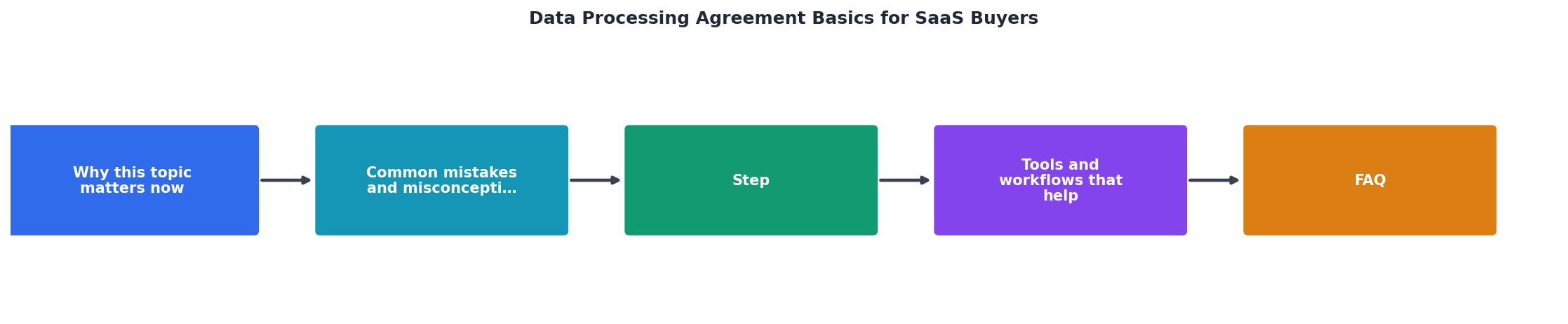
Reviewing a DPA does not require a law degree, but it does require a systematic approach. Follow these steps before signing any SaaS contract:
Step 1, Locate the DPA
Many vendors embed DPA terms inside their main Terms of Service or link to a separate PDF from a footer page. Use the Terms Doctor extension to automatically discover all legal documents on a vendor's site, including DPAs that might be buried three clicks deep.
Step 2, Map the Data Flow
Before reading a single clause, write down:- What personal data you will send to the vendor.
- Where that data will be stored (country/region).
- Who else might access it (sub-processors, support staff in other countries).
Step 3, Check the Eight Essential Clauses
Use the checklist below to verify each clause is present and acceptable.
Step 4, Flag International Transfers
If the vendor stores data outside your jurisdiction (e.g., EU data on US servers), the DPA must include an approved transfer mechanism, Standard Contractual Clauses (SCCs), Binding Corporate Rules, or an adequacy decision.
Step 5, Negotiate or Walk Away
If a clause is missing or unacceptable, ask the vendor to amend it. Reputable SaaS companies expect negotiation on DPA terms. If they refuse to budge on critical points like breach notification or sub-processor consent, consider that a red flag and evaluate alternative vendors.
Step 6, Set a Review Reminder
DPAs are not "sign and forget." Set a calendar reminder to re-review annually or whenever the vendor updates its terms. Terms Doctor's change-tracking feature can alert you automatically when a vendor modifies its legal pages.
DPA Review Checklist
DPA Review Checklist for SaaS Buyers
Your progress is saved automatically in your browser.
Common Red Flags in SaaS DPAs
Even when a DPA exists, it can contain language that shifts risk onto you. Watch out for these common red flags:
- Unlimited sub-processor additions. If the vendor can add new sub-processors with only a "general authorization" and no notification, you lose visibility into who touches your data.
- Vague breach notification. Phrases like "without undue delay" without a specific hour or day count leave too much room for interpretation.
- No audit rights. GDPR Article 28(3)(h) gives controllers the right to audit processors. If the DPA removes or limits this right, push back.
- Broad data retention. Clauses that allow the vendor to keep data "as required by law" without specifying which law can be used to justify indefinite retention.
- One-sided liability caps. If the vendor caps its liability at the fees you paid in the last 12 months but your exposure to regulators is uncapped, the risk balance is off.
- Forced arbitration for data disputes. Some vendors require arbitration for all disputes, including data breaches. This can limit your ability to seek urgent injunctive relief in court.
DPA vs. Other Privacy Documents
It is easy to confuse a DPA with other legal documents. Here is how they differ:
| Document | Purpose | Who signs it? |
|---|---|---|
| Privacy Policy | Tells end users how you collect and use their data | Published publicly; no signature needed |
| Terms of Service | Governs the overall relationship between you and the vendor | You accept by using the service |
| Data Processing Agreement | Specifically governs how the vendor processes personal data on your behalf | Both parties sign (or click-accept) |
| Standard Contractual Clauses | Approved template for international data transfers | Annexed to or incorporated into the DPA |
Frequently Asked Questions
Let Terms Doctor Do the Heavy Lifting
Reading a 30-page DPA is nobody's idea of a good time. The free Terms Doctor extension for Chrome, Edge, Brave, Opera, and Vivaldi automatically finds every legal document on a vendor's site, runs 101 consumer-protection checks, and gives you a clear A-F grade with plain-language explanations. Install it before your next SaaS purchase and let it flag the red flags so you can focus on the clauses that actually matter. Get Terms Doctor free from the homepage.
Additional Resources
- Data processing agreement - and why you need it - Data processing takes place when data is processed by a contractor who has been instructed by the data controller. Examples of data processing ...
- GDPR for SaaS: A Complete Guide to Compliance ... - A Data Processing Agreement (DPA) sets the legal foundation for how you handle customer data. GDPR requires controllers (your customers) to establish written ...
- A Plain English Guide to GDPR & Data Privacy For SaaS ... - Data processors need to sign data processing agreements (DPA) with the data controllers they work with. The DPA should contain a description ...